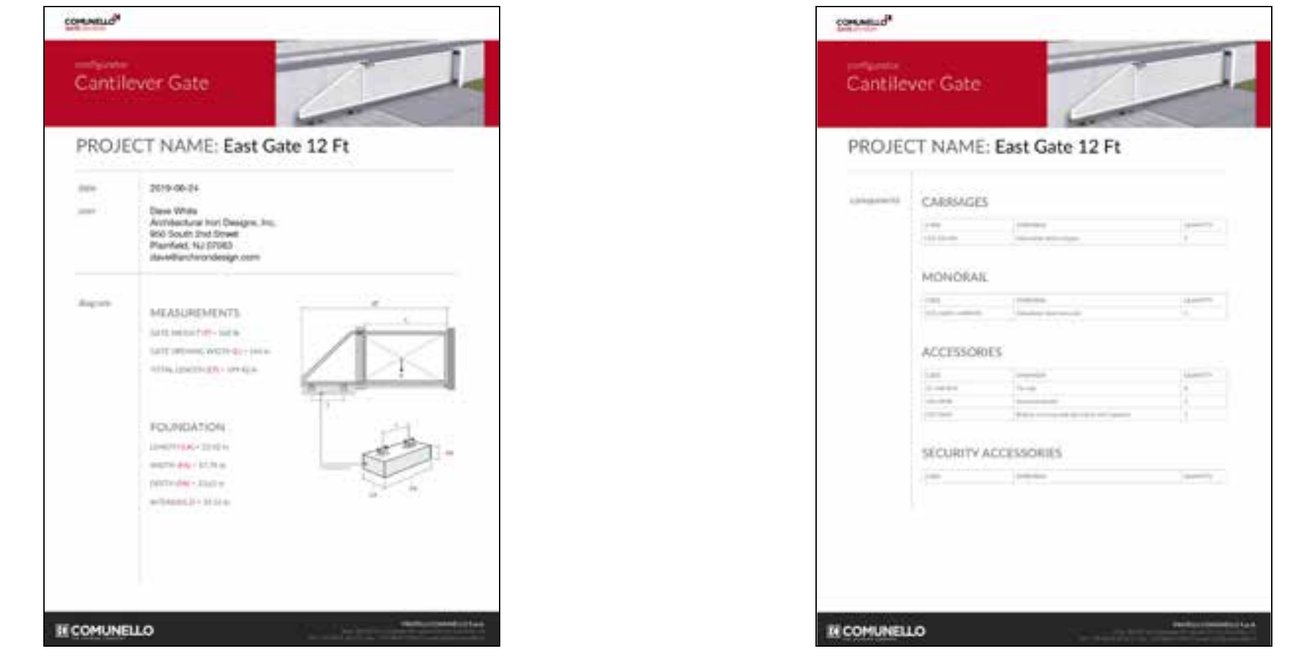
DuraGates — Cantilever Gates, Evolved
Accommodates
4,400 lbs at 65 ft opening
7,000 lbs at 30 ft opening
DuraGates Web Configurator Manual
Comunello Cantilever Hardware Configurator Instructions: creating a user account, logging in, filling out the configuration / quote request form, and configuring your cantilever system step by step.
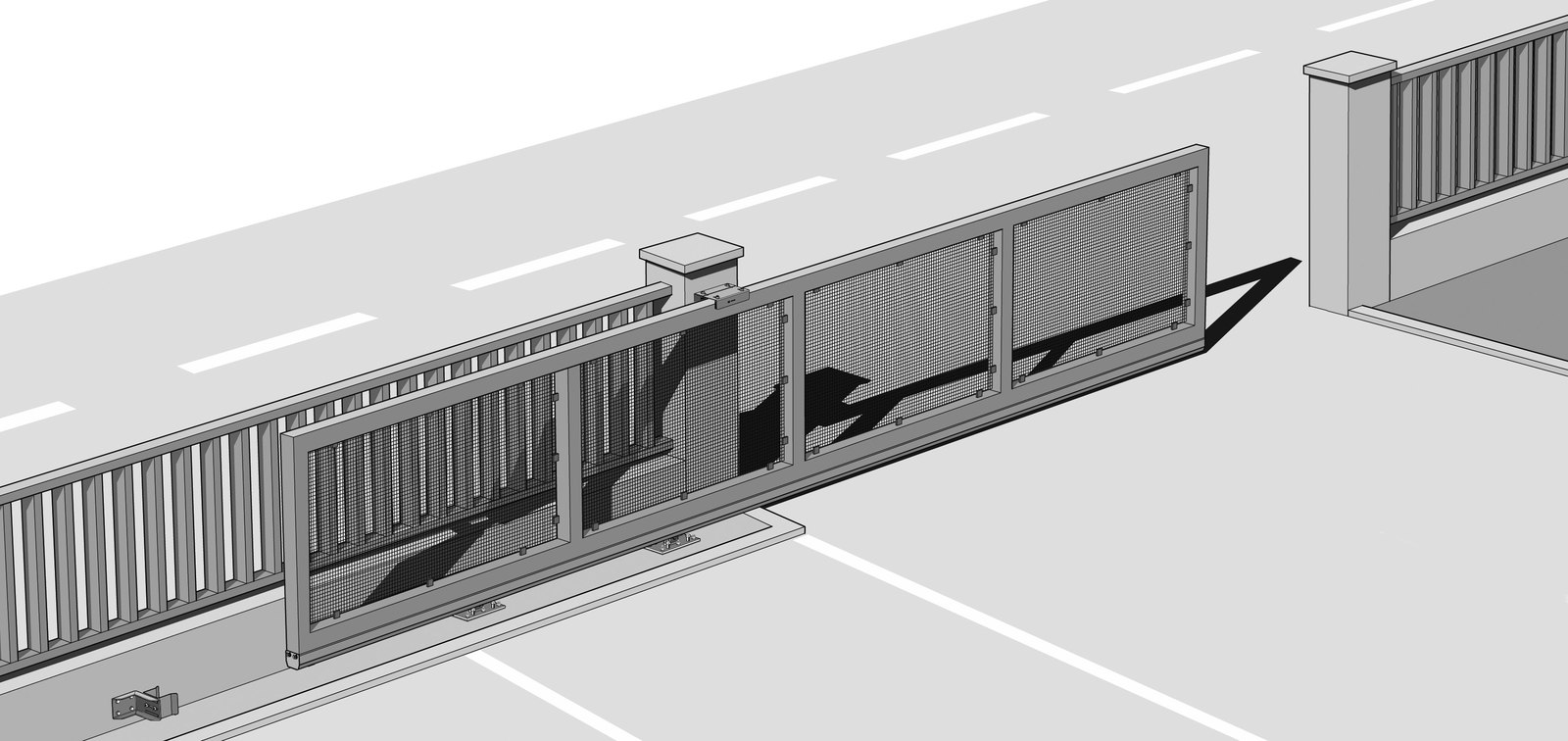
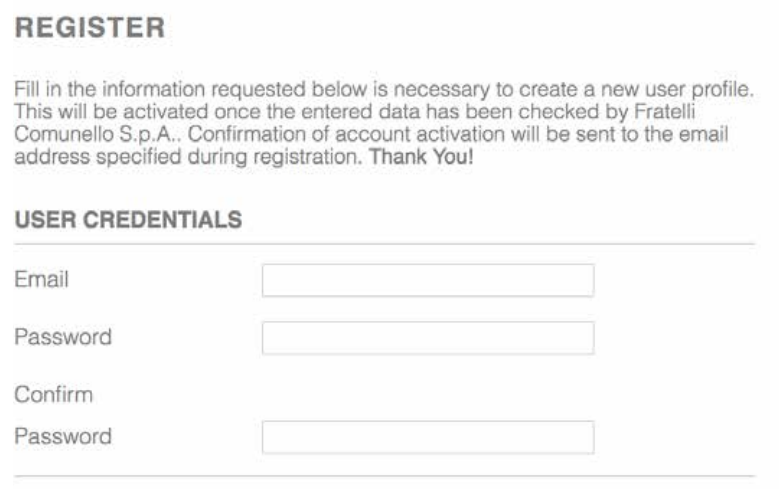
After entering your email address and creating a password, you will need the following to complete your registration. You will receive an email from Comunello, in Italy, in a few days confirming your account has been set up and is ready to use.
Company Information
- Company Name
- VAT No (Tax ID or Fake No.)
- First Name
- Last Name
- Address
- City
- State
- Zip
- Country
Contact Information
- Phone Number
- Cell Number
- Tax ID or Fake No.
Settings
- Language — select from several
- Measurement Unit — choose Metric or Imperial
Communication Preferences
- Newsletter — opt in or out
- Property — click to accept terms
- Privacy — click to accept
Click the Register button to complete the process.
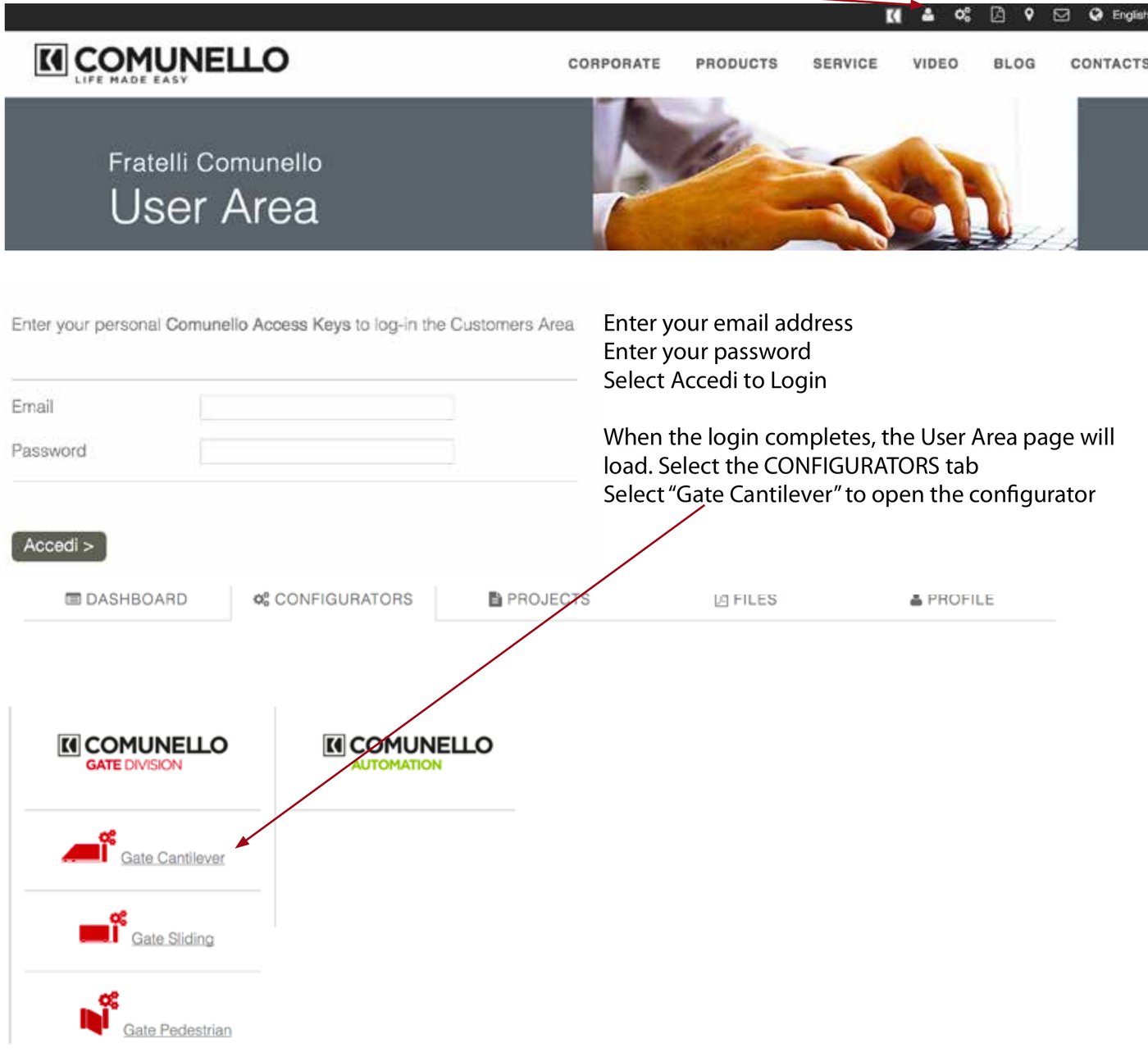
- In a web browser, go to comunello.com/user.
- Log in by selecting the “Person Icon” at the top of the page.
- Enter your email address, enter your password, and select Accedi to log in.
- When the login completes, the User Area page will load. Select the CONFIGURATORS tab.
- Select “Gate Cantilever” to open the configurator.

Configuration / Quote Request Form
DuraGates cantilever hardware is an application specific engineered product. Each gate application should be configured based on the opening width of the gate (L) and the weight (P) “over the opening” to determine the total gate length (LT), carriage spacing (I), and the concrete foundation dimensions.
Click the link below and fill the form and submit it to provide the information needed for an application specific configuration, parts list, and pricing.
Request a QuoteStep 1: Enter Project Name & Information
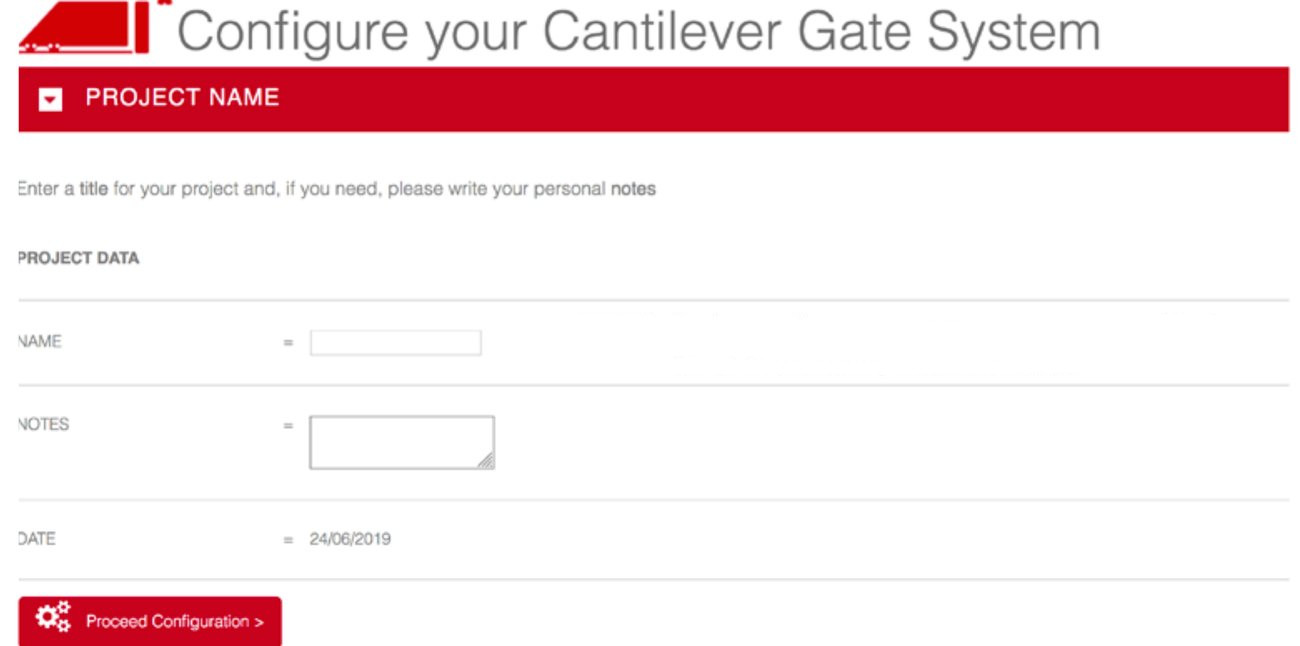
- Name: Project or customer name. This will be used in the name of the configuration emailed.
- Notes: Notes about the project. This field is not included in the configuration email.
Step 2: Enter Gate Specifications
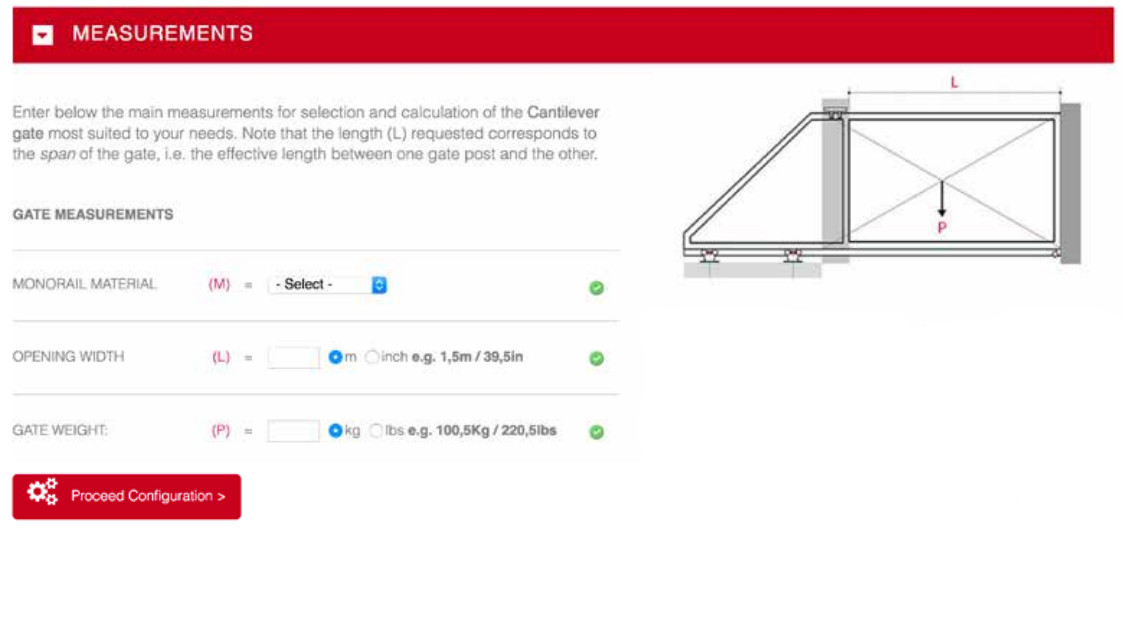
- Select Monorail Material: Steel, Aluminum, or Stainless Steel. Typically the monorail track will be the same material as the gate frame structure.
- Enter Opening Width: select the appropriate units, inches or meters.
- Enter Gate Weight: select the appropriate units, lbs. or kg.
See the Selection Tips and Hints for more information.
Step 3: Select Carriages
CAUTION! Be careful to choose one of the carriages shown here that are available in the USA. Note: the CGS-KIT150 is available, but not shown in the configurator.
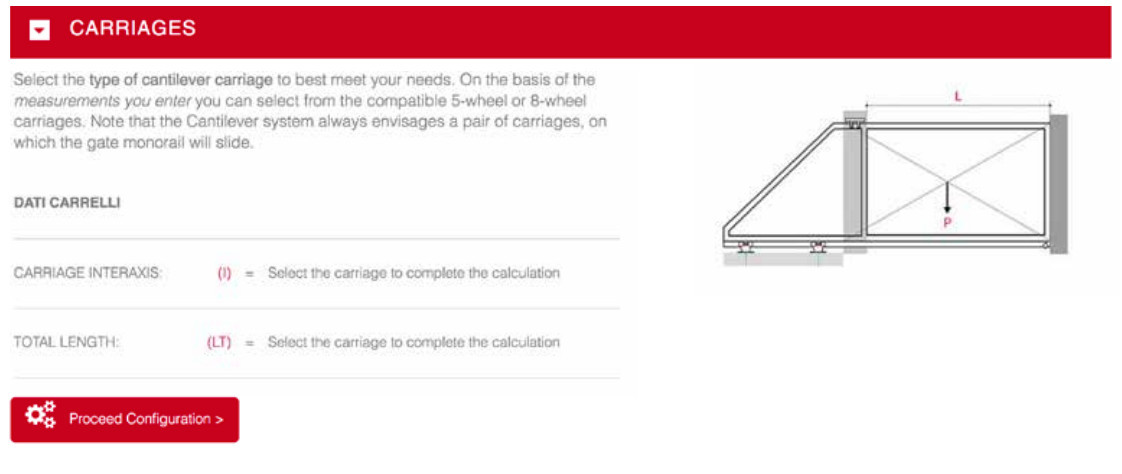
Carriage Models Available From USA Stock

| Model | Material | Capacity Range |
|---|---|---|
| CGS-350.5XL | Steel | 30 ft up to 7,700 lbs · 65 ft up to 4,400 lbs |
| CGS-350.8G | Steel | 16 ft up to 4,000 lbs · 60 ft up to 1,800 lbs |
| CGS-350.8P | Steel | 10 ft up to 1,700 lbs · 26 ft up to 1,000 lbs |
| CGS-250.8P | Steel | 8 ft up to 1,300 lbs · 19 ft up to 800 lbs |
| CGS-250.8M | Steel | 8 ft up to 900 lbs · 14 ft up to 500 lbs |
| CGS-KIT150 | Steel | 8 ft up to 660 lbs · 13 ft up to 330 lbs |
| CGI-350.5P | Stainless | 13 ft up to 700 lbs · 26 ft up to 400 lbs |
| CGA-350.5P | Aluminum | 20 ft up to 700 lbs · 30 ft up to 400 lbs |
| CGA-350.5M | Aluminum | 10 ft up to 550 lbs · 16 ft up to 300 lbs |
Use the weight capacity and gate opening parameters to choose the carriage best suited for your application. The selection criteria for “The Best” label is usually the least cost solution, and not always optimal for your specific application.
When you select a carriage, the total gate length “LT” and the carriage spacing “I” for that carriage is shown in the drawing on the page. You can select different carriages to compare the total gate length for each choice. The tail section should be between 25% and 40% of the opening width for a typical gate — heavy gates and large opening sizes can require longer tail sections. Gate length vs. hardware cost is the typical trade-off, but heavy usage and long-term durability matter too.
Typical Gates — Galvanized Steel Track
| Model | Typical Gate | Includes | Gate Range |
|---|---|---|---|
| CGS-KIT150 | Opening: 12 ft Weight: 300 lb Total length: 18 ft |
20 ft of track, 2 carriages, 1 end cup, 1 end wheel, and 1 top guide plate | 8 ft at 660 lbs 13 ft at 330 lbs |
| CGS-250.8M | Opening: 16 ft Weight: 600 lb Total length: 22 ft |
30 ft of track, 2 carriages, 2 end cups, 2 end wheels, 1 top guide plate, and 8 J-bolts | 8 ft at 900 lbs 14 ft at 500 lbs |
| CGS-250.8P | Opening: 18 ft Weight: 800 lb Total length: 24 ft |
30 ft of track, 2 carriages, 2 foundation plates, 2 end cups, 2 end wheels, 1 top guide plate, and 12 J-bolts | 8 ft at 1,300 lbs 19 ft at 800 lbs |
| CGS-350.8P | Opening: 24 ft Weight: 1,200 lb Total length: 33 ft |
40 ft of track, 2 carriages, 2 foundation plates, 2 end cups, 2 end wheels, 1 top guide plate, and 12 J-bolts | 10 ft at 1,700 lbs 26 ft at 1,000 lbs |
| CGS-350.8G | Opening: 30 ft Weight: 1,800 lb Total length: 39 ft |
40 ft of track, 2 carriages, 2 foundation plates, 2 end cups, 2 end wheels, 1 top guide plate, and 12 J-bolts | 16 ft at 4,000 lbs 60 ft at 1,800 lbs |
| CGS-350.5XL | Opening: 30 ft Weight: 3,800 lb Total length: 40 ft |
40 ft of track, 2 carriages, 1 top guide plate, and 12 J-bolts | 30 ft at 7,700 lbs 65 ft at 4,400 lbs |
Typical Gates — Aluminum Track
| Model | Typical Gate | Includes | Gate Range |
|---|---|---|---|
| CGA-350.5M | Opening: 16 ft Weight: 300 lb Total length: 21 ft |
30 ft of track, 2 carriages, 2 end cups, 2 end wheels, 1 top guide plate, and 8 J-bolts | 10 ft at 550 lbs 16 ft at 300 lbs |
| CGA-350.5P | Opening: 24 ft Weight: 600 lb Total length: 32 ft |
40 ft of track, 2 carriages, 2 foundation plates, 2 end cups, 2 end wheels, 1 top guide plate, and 12 J-bolts | 20 ft at 700 lbs 30 ft at 400 lbs |
Typical Gates — Stainless Track
| Model | Typical Gate | Includes | Gate Range |
|---|---|---|---|
| CGI-350.5P | Opening: 20 ft Weight: 300 lb Total length: 26 ft |
30 ft of track, 2 carriages, 2 foundation plates, 2 end cups, 2 end wheels, 1 top guide plate, and 12 J-bolts | 13 ft at 700 lbs 26 ft at 400 lbs |
Step 4: Review the Carriage Selection & Foundation Drawing
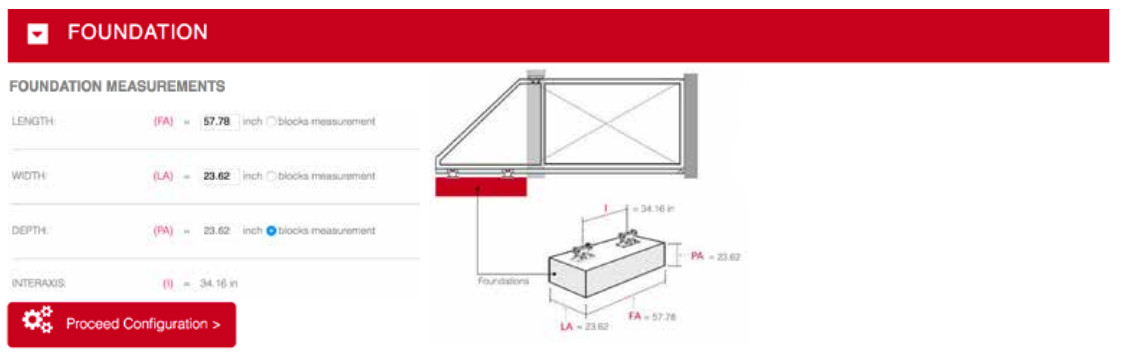
The concrete pad acts as the counterbalance weight for the gate, allowing for shorter tail sections than traditional hardware.
Concrete Volume Formula
YARDS = (LA × PA × FA) / 32,236
Step 5: Select Track Length




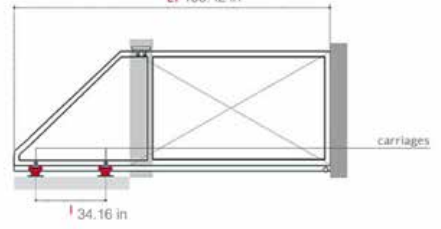
Make your monorail selection, then select PROCEED CONFIGURATION to continue.
Step 6: Select Accessories
Accessory and Safety Selections do not affect the configuration — no selection is required to proceed.

| Part | Description |
|---|---|
| CG-348 | Tie Rods — J-Bolts set into newly poured concrete are the best method of anchoring the carriages to the pad. |
| CG-10 | Template — not available in the USA, but can be ordered if planning on installing multiple gates. |
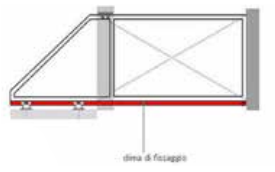
| CG-05 | Fixing Supports — Foundation Plates make it easier to level and align the carriages, but are not required. |
| CGS-347 | End Wheels — cover the end of the track for UL325 compliance when the gate is automated, help the gate seat into the receiver in the open/closed positions, and keep dirt and debris out of the track. |
| CGS-346 | End Cups — stabilize the gate in the open and closed positions. One is needed for gates typically closed except for pass-throughs; two for gates standing open. |
| CG-20 | Not available in the USA. |
| CG-15 | Heavy duty “L” bracket to mount accessories to the side of the fence post or column. |
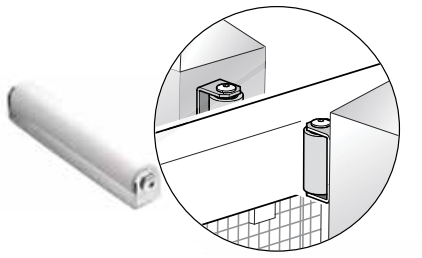
| CG-30 | Slide gate receiver, positioned near the top of the gate on the receiving post or column. Sized to the gate frame, not the track model. CG-30M fits 2″–3″ frames, CG-30P fits 3⅝″–4½″ frames, CG-30G fits 4″–6″ frames. |
| CG-40 | Tension bar / adjustable turnbuckle for the gate’s tail section. Made to fit 40mm tubing and must be adapted for US tubing sizes. |
Step 7: Select Top Guide
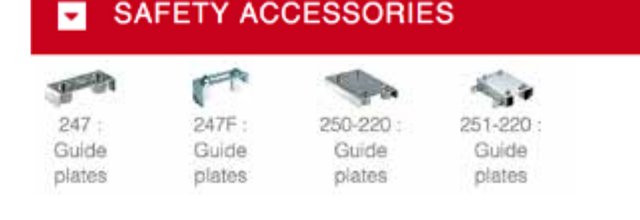
Galvanized Steel Top Guides
| Model | Frame Size | Description |
|---|---|---|
| 247 | 1¼″ to 2⅛″ | Open rollers, weld mount |
| 255-220 | Up to 2⅛″ | Covered rollers, weld mount |
| 256-220 | Up to 3″ | Covered rollers, bolt-on mount |
| 256-300 | Up to 4½″ | Covered rollers, bolt-on mount |
Stainless Steel Top Guides
| Model | Frame Size | Description |
|---|---|---|
| CGI-251 | 2½″ to 4″ | Covered rollers, bolt-on mount |
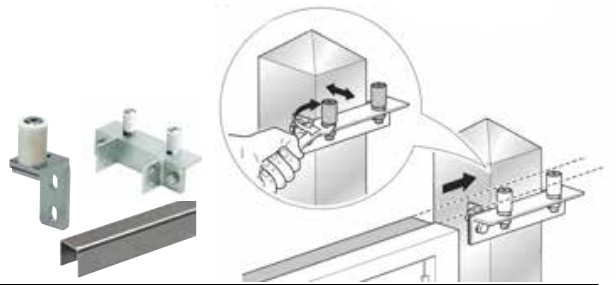
Side Mounted Monorail Guides (also used for gates with an arched top)
| Model | Fits | Description |
|---|---|---|
| CG-252 | Adjustable | Single Guide Roller |
| CG-258-30 | 3″ to 4½″ frames | Double Guide Roller |
| CG-254 | 9’10″ lengths | Monorail, Galvanized |
| 253-40 | 2 per gate required | Side Roller, 10″ Nylon |
Step 8: Configuration Complete
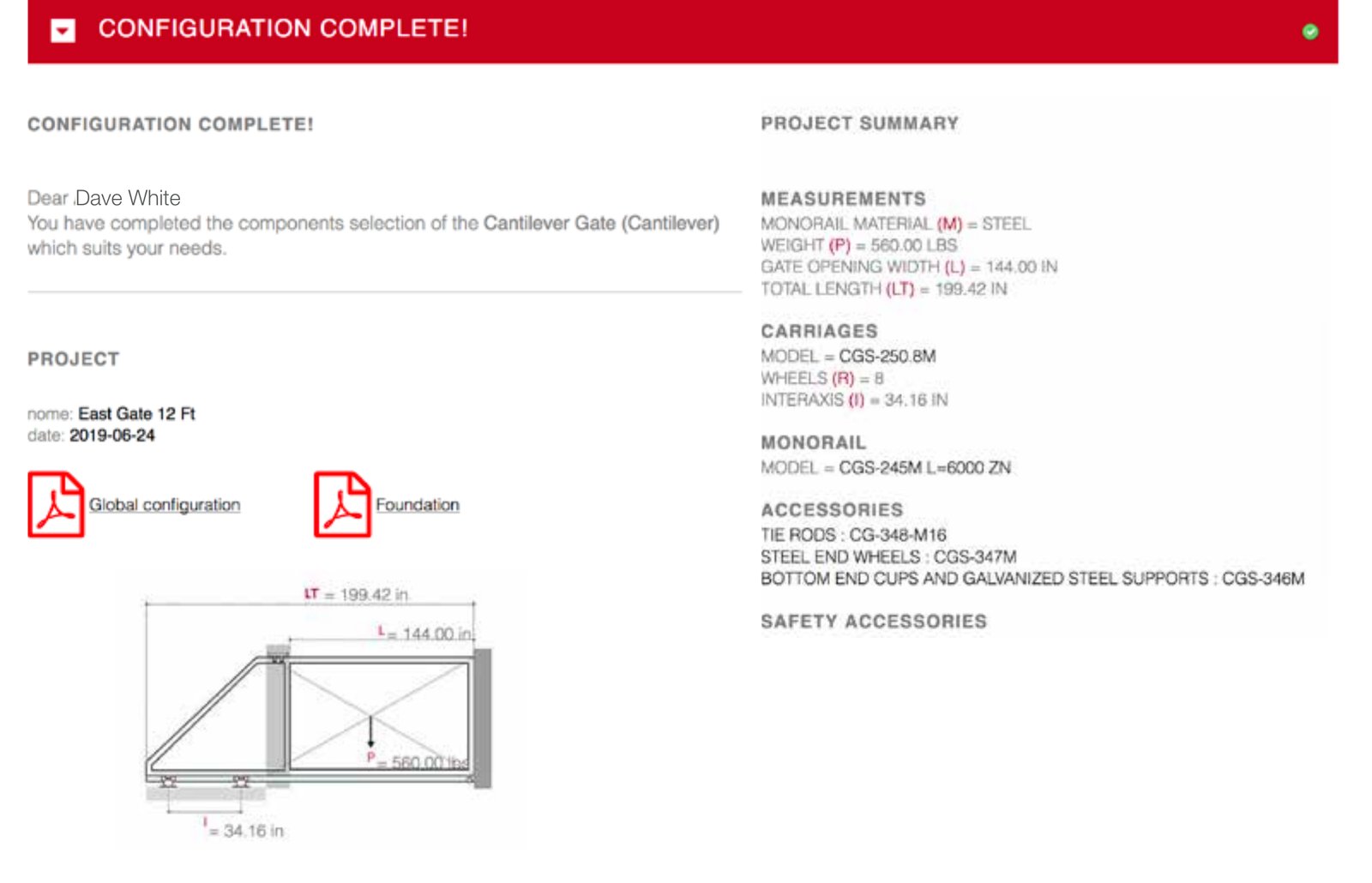
You can open or save the Global Configuration or Foundation PDFs if desired, but an email with the Global Configuration will be sent to the login email address.